
The Benefits: Rankings, Interaction, Trust
Before getting too deep into the list, let’s really quick look at the primary benefits of being active and engaged on your GBP.
- Interaction from customers when content and keywords align with what they are looking for.
- Rankings improve as you stay consistent and help Google better understand what your business offers.
- Trust builds over time as you stay active—which improves visibility and helps keep your GBP secure.
These are all very important benefits that come from staying active. Google likes businesses that are working hard today to solve customer problems—not ones that did a good job last year. And you want to show Google you are here, ready to help new customers that they send your way.
It’s important to note, these efforts are most effective after you have completed all of the important GBP optimization tasks on your checklist, and gone through proper website optimization steps for local SEO as well. Otherwise, you may have issues that hold you back and make it difficult to rank well.
With that, let’s go through these seven tasks you should be doing regularly to stay active in managing your GBP.
#1 — Posts
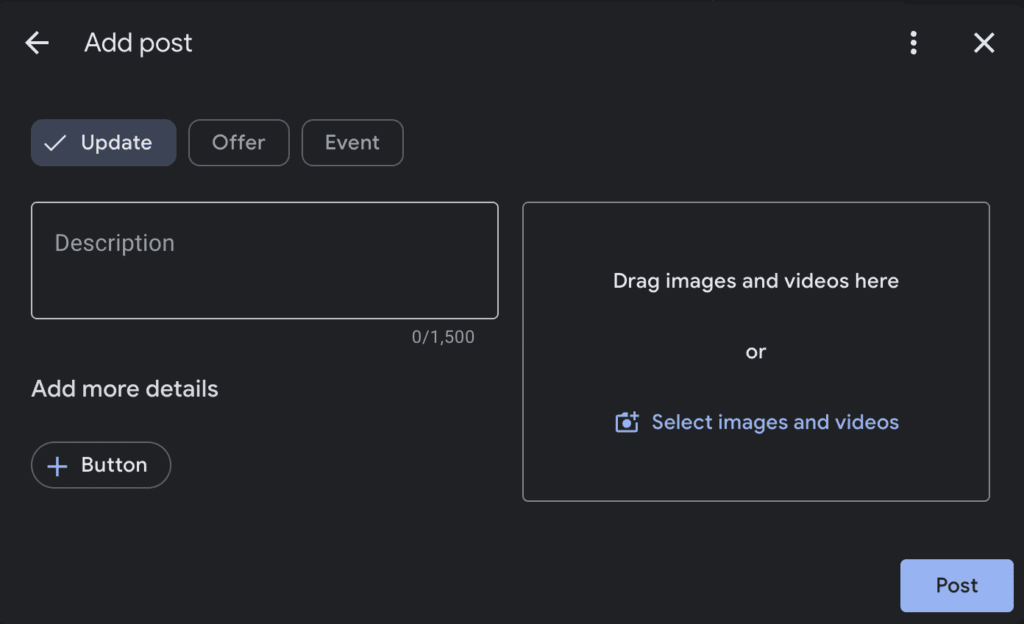
GBP posts are an important tool for engaging customers with targeted content.
There are three post types: Update, Offer, and Event.
Each post type includes a title and an image option—with each post type having their own additional options.
For example, “Offer” and “Event” also have an end date that is required before posting.
These are pretty self explanatory, and you can use all three of these post types if you have corresponding information to give your visitors.
However, in my experience, I have found that using the “Update” post type, and combining that with a strong offer, puts together the best of both worlds.
- Put your offer in the image, headline, and text of your “Update” post.
- Add a CTA button that matches the action you want a customer to take.
- For website links, you can even add a tracking code to get more specific data.
“Update” post types also stand out on the profile more and are prominently displayed—making the offer/post combination powerful.
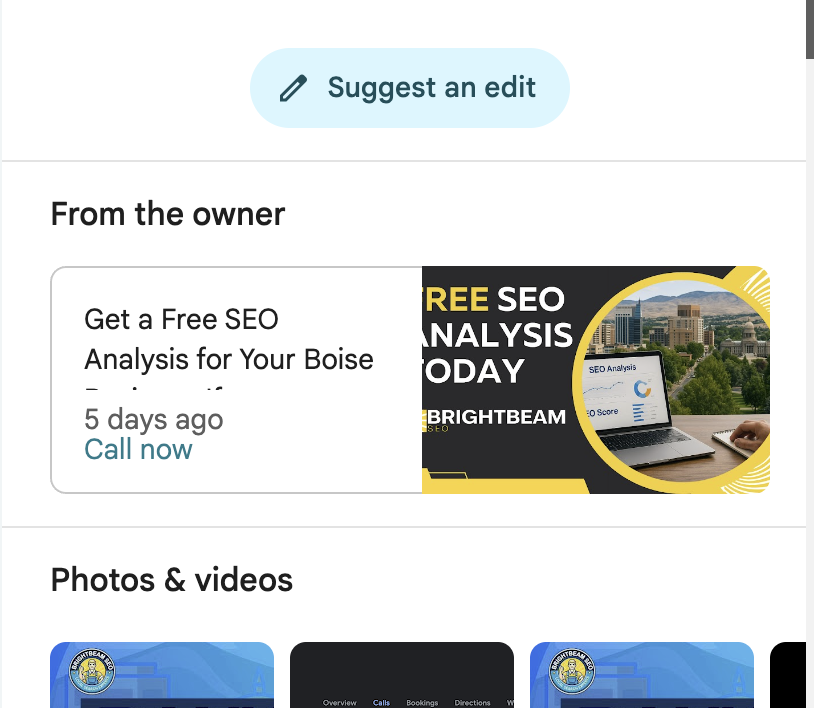
Google recommends you post once a week. That’s pretty good. I wouldn’t do less than one a week—something like two per week will make sure you don’t miss any opportunities.
Posting more than this won’t help, and may even hurt you, so don’t overdo it. Just stay consistent—that’s what’s important.
#2 — Images
Images are another great way to show Google you are active, and help potential customers learn more about what you have to offer—an important part of the local SEO customer journey.
Adding 1-2 images per week is best practice. However, it depends on the type of business.
- Plumbers, HVAC contractors, and roofers don’t need perfect pictures, and it’s easy to get images from completed jobs.
- Remodelers, customer builders, interior designers, etc. may require a higher quality of image to help sell their services—so only the best photos should be used. Still, if you can plan ahead, it shouldn’t be difficult to post regularly.
- Industries like accountants, lawyers, and doctors may also have a difficult time finding images to add to their GBP—in this scenario showcasing staff members, repurposing testimonials, or even creating educational visual materials are all great methods for creating image content for your GBP.
If you can’t post weekly, once every few weeks, or even once a month will help—something is better than nothing!
Do the best with what you can. You don’t have to outdo everyone in your local area, just the competition!
#3 — Review Responses
Reviews are by far the most important ranking factor for an optimized GBP.
However, how you respond to reviews is also important for local SEO, staying active, and improving rankings on your GBP.
Quick responses are rewarded, but you don’t need to wait all day by your computer to maximize your value here.
Responding within 24-48 hours is good enough to show Google you care.
As far as content in these review responses, don’t worry about Google. Write what’s best for the customer and that’s good enough.
*Common SEO Myth: It’s a common myth that the content you put in your review responses will boost rankings. This is untrue. Remember, anything that is easy for the business to manipulate directly will have little to no rankings impact.
Whether you have an automated responses system, or you respond to reviews manually, both are acceptable as long as you feel the content is not going to negatively impact customers.
For negative reviews, it’s best to address the core problem with the customer. If that doesn’t work, then respond to the review in a way that helps signal to future customers how you helped solve the problem. This will limit any damage a negative review will have.
Respond to reviews every few days and you’ll be set.
#4 — Q&As
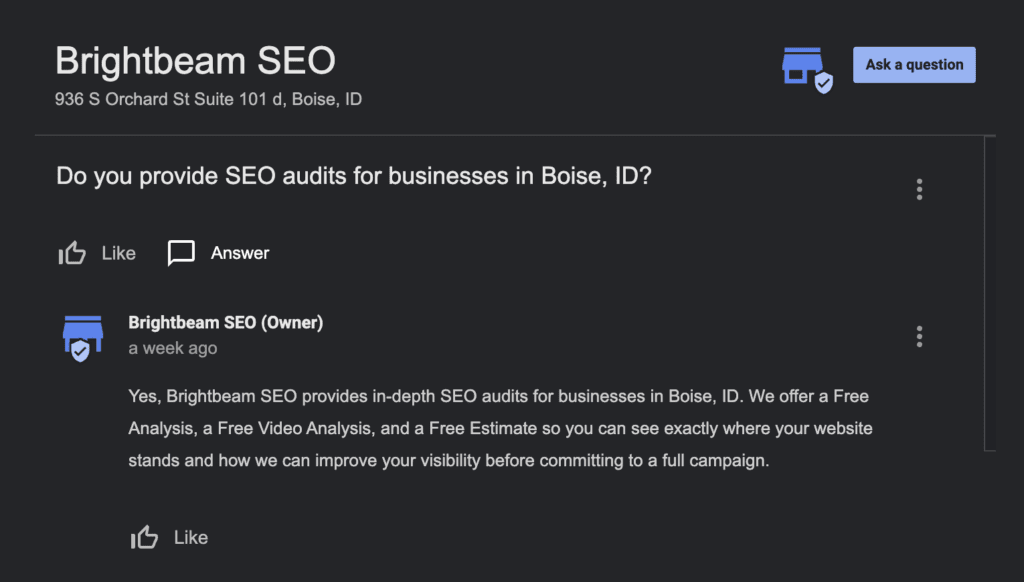
The Q&A section of your GBP is another great place to keep active, help potential customers, and help Google understand your business in more depth.
You don’t need customers to ask for questions directly, you can do it yourself from the GBP.
Simply navigate to the Q&A section of your GBP and add a question—then write and post your response.
It’s that easy.
The best use here is to add questions that may keep potential customers from contacting your business. If you can address common concerns, you’ll help remove the barriers between a GBP visitor and a lead.
Best practice is add 2-4 Q&As per month. But there is no minimum or maximum. Just staying consistent and active here is what is key.
#5 — Products & Services
The products and services section is something you should check often.
There are likely new products or services you’re offering, or something you may have missed in the past.
It’s not necessary to add products or services for the sake of activity. However, these are good to review regularly, and may help you rank for longer tail or less competitive keywords that potential customers search for in your local area.
Use your keyword research to add services, and make sure to add target keywords in the description as well.
Products are great for businesses with actual products to buy. These can also be linked to specific city, service, or other landing pages to improve customer experience.
Services are great also for showcases everything you offer, and target search keywords.
Keep these sections updated to maximize visibility on Google Maps.
#6 — Special Hours
Keeping your special hours updated is another great way to show Google you’re involved, and help potential customers avoid frustration.
If there are days your business is closed, or not answering phones for service businesses, then use this section to keep your hours updated and reflect accurate information.
There is nothing worse than a customer showing up to a business on a holiday that is not marked as closed—and it can lead to negative reviews in some cases.
On top of helping customers, it also is an easy way to stay active on your GBP.
#7 — Spam Fighting
Lastly, spam fighting is one of the most important tools in a local business or local SEO arsenal.
The amount of spam on Google Maps is surprising to anyone who starts doing competitor analysis in their local SEO market.
Businesses who add keywords to their name make it more difficult for your business to rank well—which is unfair to your business and the hard work you are putting in.
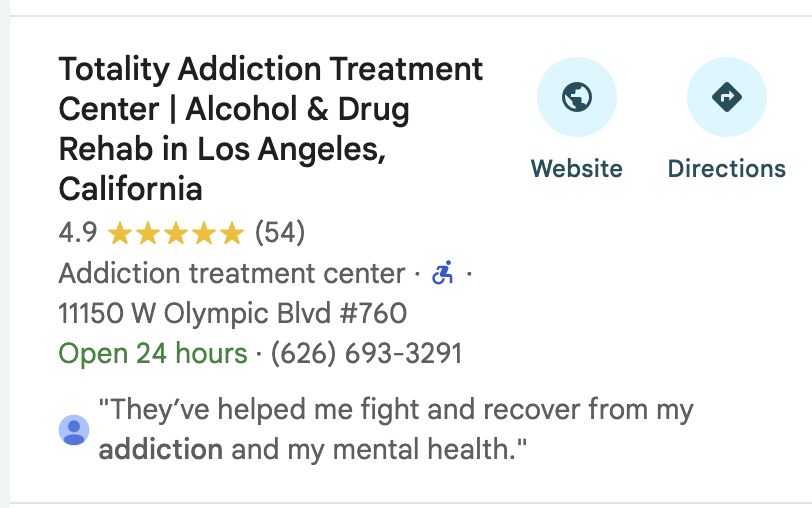
Also, if a business is using a physical location that they do not occupy, or operating out of their home with a physical address, they may be getting an unfair advantage over you as well as breaking Google’s terms of service (TOS).
Google gives you tools to help mitigate and deal with spam listings and keyword stuffing properly.
Now, understand that just because you suggest something be removed or changed on Google Maps doesn’t mean it will be.
Being honest with your actions with this tool is important, and should be taken seriously.
Hurting competitors that follow the rules is unethical.
With that, let’s look at how spam fighting works and how you can use this approach on a regular basis.
Spam Fighting Steps
Here’s how you can effectively fight spam listings in your area.
- Create a Google Sheet where you can list potential business that look suspect.
- Look for businesses with keyword stuffing, unoccupied physical locations, home based pins, or inactive businesses.
- Use your local Secretary of State or other ways to find and verify correct name or location information.
- Make use of the “Suggest an edit” feature inside Google Maps to alert Google of these inaccuracies.
- View the status of edits you have made in the sidebar under “Your contributions” –> “Edits”
- If that doesn’t work, use the “Business Redressal Complaint Form” to escalate these changes.
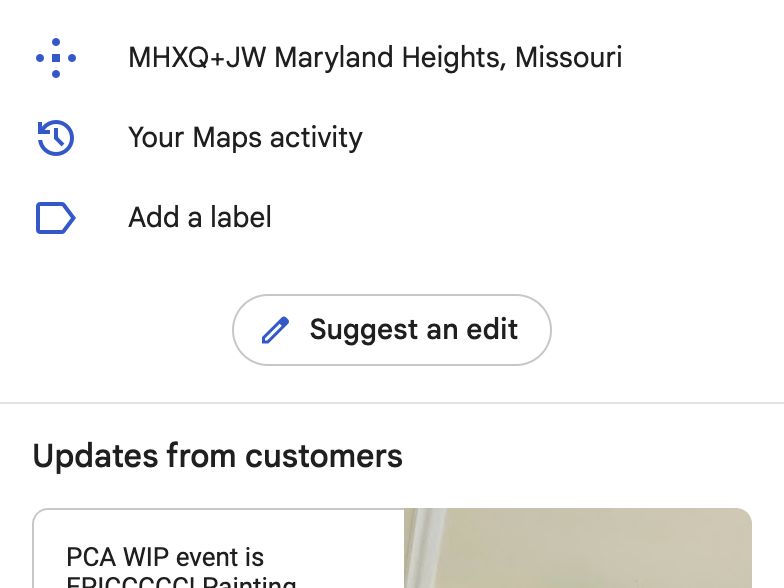
Simply follow these simple steps.
- Find the business listing in question
- Choose “Suggest an edit”
- Select the specific field
- Submit the change
This will not eliminate bad actors entirely, but is worth the time and effort—especially for the potential impact it offers.
Wrapping Up GBP Activities
These content activities are helpful for improving your rankings, building trust with Google, and helping customers find your business.
Now, let’s move into the next lesson in our local SEO guide from beginner to advanced:
Creating city, service, and other landing pages to maximize rankings.