
What Are City-Service Landing Pages?

In local SEO, you can break your audience up by two primary factors.
- Location
- Service (Or Product) Needs
You can easily replace services with “products” if this is a better fit for your local business. But for the purpose of this article, I’m going to rely on the term “services” to keep things simple.
City-service landing pages, then, are the cross-section for your business where customer demand, and locations you serve, come together to create your specific market.
That makes these pages, and the content within these pages, extremely important. Simply put, you rely on these landing pages to perform multiple functions including:
- Targeting city locations
- Showcasing business services
- Optimizing for specific keywords
- Supporting secondary keywords
- Sending link authority to other pages
- Build brand awareness
- Display expertise and local authority
- Answer customer questions
- Convert traffic into customers
This is no small task.
Typically, creating city-service landing pages comes after in-depth local keyword research, and taking steps to create a website plan and structure around these keywords.
However, many of those same topics will be covered here, since they are part of the inner fabric of these city-service pages.
Understanding City, Service, Landing, & Home Pages
One more important topic to cover briefly.
Why are they called city-service pages? Are they city pages? Service pages?
And what about the home page or other website pages?
Here’s some clarification.
- City pages target specific cities, counties, areas, or locations.
- Service pages target specific services or broader service categories.
- City-Service pages target both a specific location and services.
- Landing pages are simply pages that are meant to draw in traffic and convert traffic to leads (most pages on a local business website).
- Your home page is the primary landing page on your website, which may be a brand-focused or target specific city or service keywords depending on your business size and goals.
If you’ve read about the “October Method” for local SEO, you know that the best way to get Google traffic is by targeting specific searches with content. And if you know the exact searches your customers are making, then you don’t need to guess which pages you need on your website, and which you don’t.
Any page on your website, whether it’s a top-level page (ex. Home Page) that targets broad searches (ex. HVAC services), or lower level page that targets a specific city and service (air conditioner repair in Las Vegas), the goal is the same—get more traffic, and convert traffic to leads.
That means, these pages may have some unique elements, but they all still share the most critical website elements to maximize your local SEO.
It’s these elements that matter.
Remember: Google likes what customers like. Target for Google, but write and design for customers—and you’ll set yourself up for local SEO success.
Primary City-Service Page Elements
Now, let’s look at specific city-service page elements that are important for potential customers and Google rankings.
Let’s divide these up into subtypes to make this easier, which includes:
- SEO Elements
- Conversion Elements
- Navigation Elements
- Trust Elements
- Information Elements
This will make it easier to understand the purpose behind each element and make sure you don’t miss anything important.
Let’s start with SEO elements.
SEO Elements
SEO elements are primary elements that, in many cases, directly benefit your rankings on Google Search or Google Maps. Yes, these can be helpful for customers—but missing these elements can negatively impact your Google rankings.
We covered this more in-depth in our website optimization for local SEO article here.
Here are the important SEO elements for your landing pages:
- Keyword Targeting: Title tag, meta description, H1, URL slug—all of these local SEO elements work together to target your primary keyword.
- Headers & Structure: Headers tell a story—H1 is your book title (only used once), H2s are you chapters, H3-H6s are subchapters, etc.
- Internal Links: Using in-text links from key areas in the body of your page to improve rankings to other important pages.
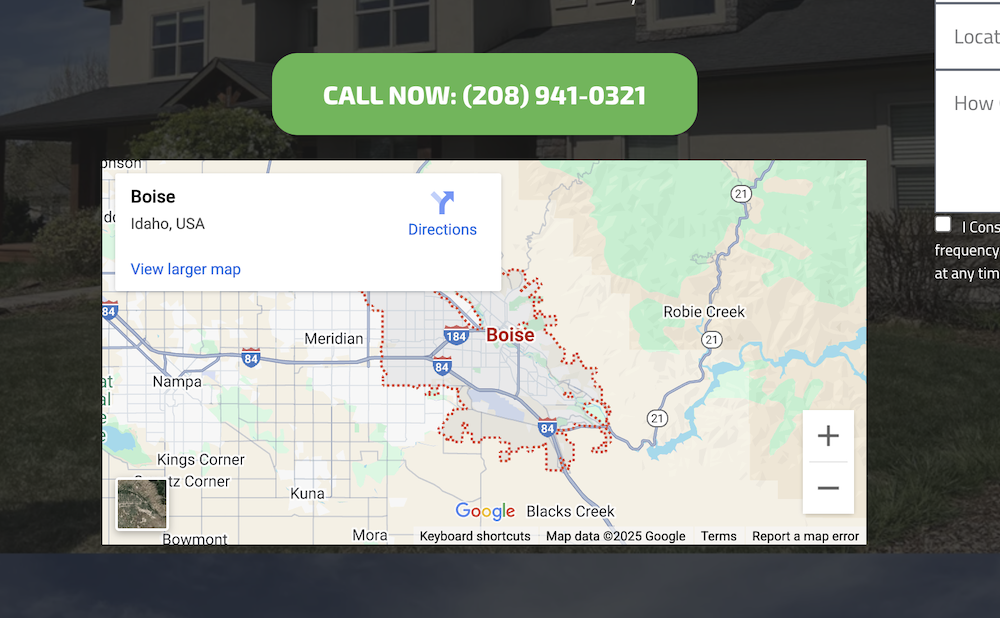
- Google Business Profile (GBP) Map Embedded & Address: For pages related to a specific GBP location, embed your Google Maps location and include the exact address for businesses with a physical location.
- Location Map Embed: Add the embed map of the target location when applicable. You can do this by searching Google Maps for the specific location, clicking on “Share”, and copying the “Embed a map” code.
- Service Areas: Include service-areas, nearby cities or zip codes, or other information to help Google and potential customers understand where you operate.
Conversion Elements
Conversion elements help turn visitors into leads. A site that ranks, but doesn’t convert, is losing out on potential sales—making these conversion elements extremely important for city-service landing pages.
Let’s look at these individual conversion elements:
- Call-to-Action (Primary): Your primary call-to-action needs to reflect the most important action you want customers to take. The text for your call to action should be brief, to the point, and easy to understand.
- Call-to-Action (Design): Your primary call-to-action should be a button, that changes when your mouse hovers over it. The color of the button should stick out from the design to draw customer attention and make taking action easy.
- Call-to-Action (Placement): Your call-to-action should appear multiple times throughout the page making it easy for customers to take action when they decide they are ready.
- Call-to-Action (Secondary): Your primary call-to-action should be paired with a secondary option throughout the page. It should have more neutral design, but offer an alternative action for customers not interested by the primary option.
- Case Studies & Project Examples: Use case studies, project examples, or before and after images to showcase or describe specific examples of your work. What you use depends on what best fits your business.
- Special Offers, Coupons, or Promotions: These discount elements may help nudge visitors to take immediate action and help you secure more leads.
Navigation Elements
On your website landing pages, navigational elements help customers find what they want quickly. However, they also connect pages together—making it easier for Google to find and index all of your important pages.
- Primary Navigation: Include all of the key pages, services, and other informational elements—designed around website visitors and potential customers.
- Secondary Navigation: On-page navigational element that connects related pages together (by service category, city, or both).
- Related Services: Content-based elements that showcase related services or general service options your business provides.
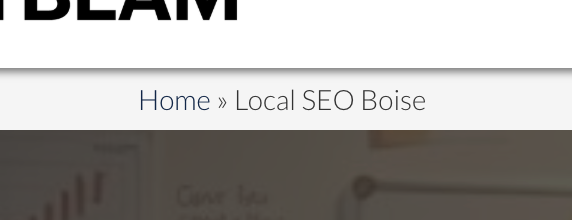
- Breadcrumbs: Breadcrumbs are simple navigation elements that show a user where they are on your website (see above). They make it easy for customers to navigate back to top-level pages.
- Footer Navigation: Add important links, city pages, services, and other pages to your footer. Include pages that may be helpful, but less popular, so they are still easy for visitors to find.
Trust Elements
Trust elements help customers learn more about your company, what makes you different, and gives you space to convince potential customers to do business with you.
Build trust with these elements:
- Images: Use visuals to tell a story. Images will help you connect with potential customers and set yourself apart from competitors. Show team members, group photos, on-the-job action, completed projects, and other quality images to show customers who you are. Real images go a long way to build trust.
- About Us: Add content about your business, with information that matters. You can say, “We’re the best,” or you can show it with specific language including how long you’ve been in business, how many reviews you have, how much money you have saved customers, or other specific details that helps show, not tell, potential customers about you.
- Warranties & Guarantees: Showcase your standard warranties or options, guarantees you give to customers, and other important information that helps customers feel confident you’re there to help if something goes wrong.
- Licenses & Certifications: Share or add elements that offer licensing details, certifications, and insurance information.
- Awards & Recognitions: Talk about, or use visuals, to show off industry or local business awards and recognitions your business has earned.
- Customer or Partner Logos: Wow your visitors with major projects or companies you have helped or worked with in the past.
- Testimonials: Adding real reviews and testimonials on your page is a must. Match the text from testimonials up with specific locations or services to get even more benefit.
Information Elements
Not everything needs to be directly related to your business. Adding informational elements helps coach customers on what to expect, how the process works, and answer common concerns that may keep them from taking action.
Here are the elements you should include on your city-service pages:
- Our Process: Help potential customers understand what they can expect with an element that describes the overall process from start to finish.
- Deeper Education: For more in-depth or expensive services, additional education may be helpful for potential customers who are still exploring.
- Video Elements: Videos make it easier for interested visitors to learn about your services and what to expect, and helps add tremendous value.
- Frequently Asked Questions: Having a FAQ near the bottom of your page is vital for addressing common concerns, and adding unique content to your landing pages in an easy way that doesn’t take up significant page real estate. Also, many search engines and even AI tools pull from these FAQ sections, giving you more influence over interested searchers.
Maximizing City-Service Landing Pages
You now have a strong understanding of the important elements for city-service pages—not only for potential customers, but Google Search and Google Maps as well.
By including these elements, you’ll have everything you need to maximize your business potential and get more leads—something we focus on at Brightbeam SEO.
Now, you’ve completed all of the necessary content steps for local SEO. Let’s move on to the next step in our local SEO rankings guide.
Optimizing citations and directory listings for your local business.