
The Golden Rule: Never Tinker!
Before getting into the checklist, let me quickly give you the golden rule of a GBP.
This ends up hurting so many businesses, and costing them money and hassle—so remember this.
Here is the rule: “Never tinker with your Google Business Profile name or address!”
Never.
Too many people tinker with the NAP (Name, Address, Phone Number) on their GBP.
They add LLC one day. Take it away the next. Then go in and change a word. Take out a comma.
Then, one day, they make a change like this, and immediately they get a message “Your business profile has been suspended.”
With some violation type associated with it.
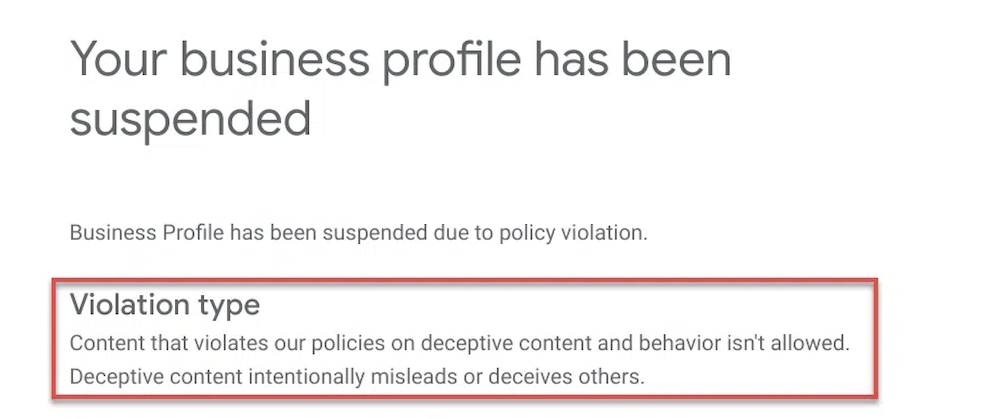
Google takes the business name, and address, very seriously.
Every time you change the NAP on your business, you risk going into suspension.
And getting out of suspension is a nightmare.
Don’t tinker with any of this, ever. If you need to change your name, here are instructions on how to do this properly and avoid suspension.
Otherwise, leave it alone.
That’s the golden rule of GBP. Follow this, and you’ll eliminate 99% of the reason businesses get suspended.
Now, you’re ready to optimize your GBP.
GBP Optimization Checklist: Primary & Secondary Categories
This checklist is here to help you optimize everything you need on your GBP.
Let’s quickly review all of the necessary elements of GBP optimization:
- Documentation
- Business Name
- Primary & Secondary Categories
- Description
- Map Pin Location
- Service Area
- Business Hours
- Cover Image & Logo
- Business Video
- Products & Services
- (Additional) Website Landing Page
Now, let’s go through these and look at the best approach to best optimize each of these.
Documentation
The first step to optimization is having proper documentation.
This is simply the first step to take in order to protect yourself from suspension—if it were to happen.
The reason is, if you do get suspended, it could take you months to get this paperwork in order.
Also, these documents are the proof of your business name and address, so it’s important to understand what information Google looks for if you do have to prove your business information.
Here are the documents you should have:
- LLC paperwork with exact business name, matching the primary business address (if multiple).
- DBA paperwork (if necessary), matching the above LLC and matching the primary business location.
- Licensing, insurance, and other documents matching the exact business name and location.
- Utility bills (especially for physical location businesses) matching the business name exactly and location.
- Permanent outdoor signage (physical location business) matching the exact business name and location.
If you don’t, for instance, have your licensing, insurance, or utility bills matching your exact business name (you can ignore the LLC), then you should do that as soon as possible.
Once again, it’s much more difficult to acquire this information after you get suspended—which can cost you a lot of time and money with your profile not visible to potential customers on Google Maps.
Business Name
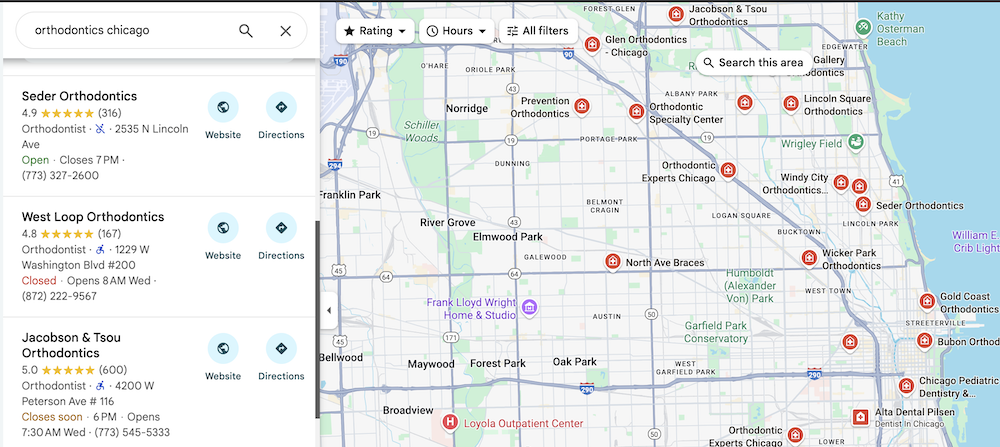
You’re business name is an important local SEO ranking factor, especially for Google Maps.
However, as previously discussed, the golden rule is: Do not change your business name.
What we are discussing here is how to maximize your business name—from a hypothetical standpoint, for educational purposes only.
You want to optimize your business name correctly, and that means having a strong plan in place.
Once you have a strong plan in place, this article on changing the business name on your GBP will guide you through the process.
You don’t want to have to do this twice, that’s why you need a strong, well-thought out plan before making any changes.
Now the question: What is the best business name from a Google Maps and local SEO perspective?
Since Google Maps search favors businesses with keywords in their name, you want to most important keywords in your business name.
The best way to do this is to include your primary target keyword with your business name.
For a roofing company maximizing local SEO, “John’s Contractors” is not as effective as “John’s Roofing Contractors.”
For a landscaping company doing local SEO, “Andy’s Company” is not as effective as “Andy’s Landscaping Company.”
This can be extended to nearly every business.
Primary & Secondary Categories
Choosing your primary category is the most impactful decision for your GBP.
Google uses your primary category to determine what business you are in.
Other categories you choose are considered secondary, and will be much harder to rank for.
For instance, a business with the primary “HVAC company”, with a secondary category of “Roofing contractor” will have a much more difficult time ranking for roofing related searches.
The reason? So many business are primarily roofing companies and Google favors those companies as opposed to a business that does roofing, but “on the side.”
Now, this is all relative, which is why having secondary categories for services you offer is a smart option. You still have a chance to show up.
But understand you will have more visibility and rankings potential for the primary category you choose.
Description
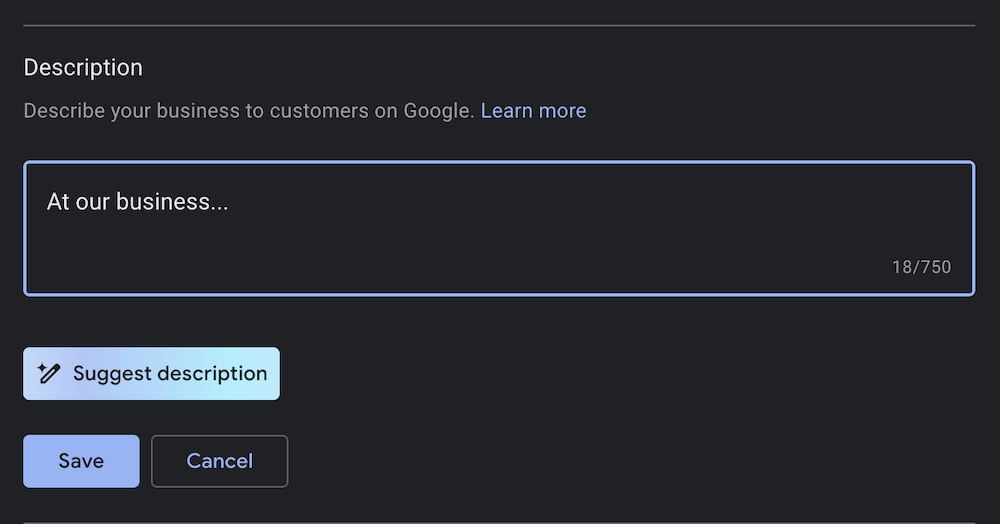
Next, optimizing your GBP description to maximize rankings.
Here you have 750 characters to describe your business to Google.
This doesn’t get displayed to the public, so the entire purpose of this is to give this information to Google…
- Exact business name
- Services you offer (all)
- Cities you service (from this location)
- Any offers or special information
Put this all in. It doesn’t need to sound pretty, it just needs to include the information.
Google can at times pull data from here to showcase on your GBP, so it’s important to fill this out completely and include as much information as you can.
Map Pin Location
You also want to double check your map pin.
Sometimes, this gets put in the wrong place—by Google or moved by competitors—which can cause a major problem for people trying to find your business.
You can easily adjust the pin location by clicking “Edit”—then “Adjust” and repositioning the pin location.
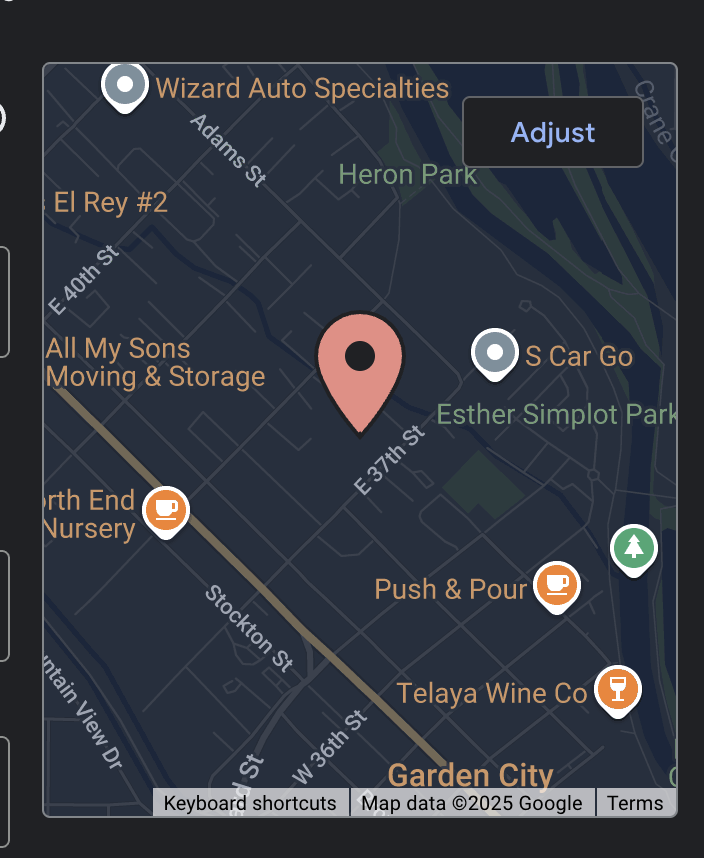
Make sure your pin is in the correct location, and make any adjustments if necessary.
Service Area
It’s possible that filling the entire service area section can help improve rankings.
That means, adding all 14 possible location options.
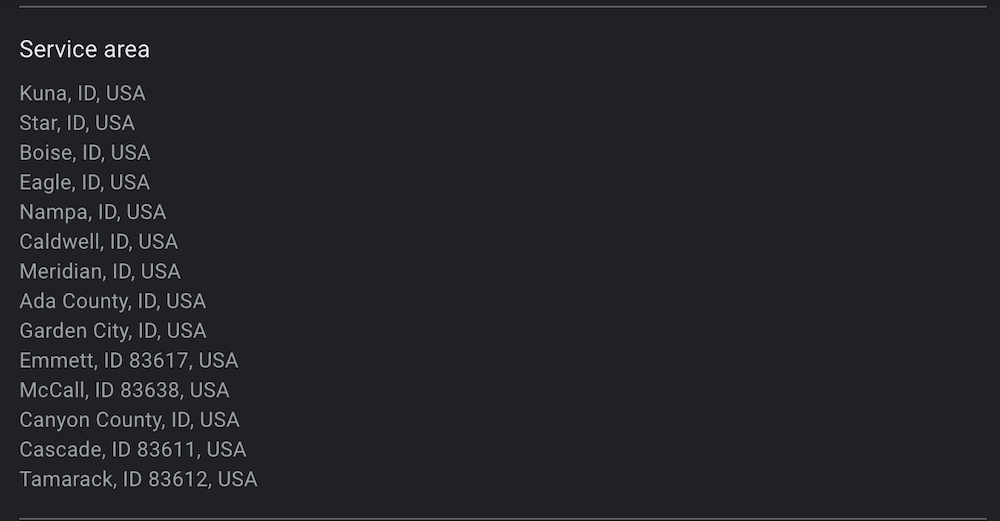
This section can include cities and counties, which should give you more than enough options to max out all of your options.
Also, occasionally adding locations on the outskirts, where there is less competition, can help you show up in those areas. Something to keep in mind if you’re willing to travel further than competitors.
Business Hours
Business hours are extremely important for driving GBP results.
Google reduces visibility for businesses during hours they are closed.
For example, businesses who put 9-5 are going to lose rankings when it’s 6pm and a customer performs a local search.
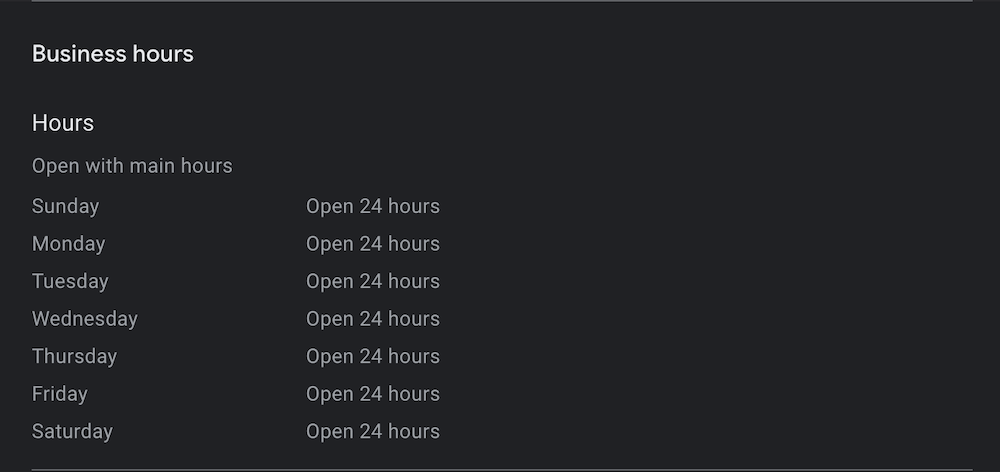
If you have a physical store, then you likely don’t want to have posted hours when the store isn’t open.
But for most service businesses, it’s best to extend your hours as far as possible.
If you start getting too many after hours phone calls, that seems like a good problem to have, and potentially a good reason to outsource your phones at night.
The point is that businesses open 24 hours will likely get more traffic, website visitors, and leads.
And your search rankings are negatively affected during hours you are closed.
Cover Image & Logo
Your cover image and logo are helpful for customers looking through business listings.
Some businesses have a more visually driven local SEO customer journey—which you should take into account when choosing your cover photo.
But all businesses can benefit from a strong cover photos and logo added to their GBP.
Business Video
You can also add a video in your GBP photos, as long as it’s under a 75 MB. This will auto play on some devices, without sound, and can be effective for grabbing the attention of potential customers.
That may also have a direct impact on your rankings—so add a video to your GBP if you can.
Products & Services
The products and services sections are a great place to give potential customers, and Google, more information about what your business offers.
And adding less competitive search keywords in these sections can help your business show up.
Products
If you have products, this is a great place to put them. You can also link back to city-service, or other landing pages on your site where these are displayed.
This gives businesses the opportunity to show the products they offer, and let’s customers go directly to the product pages from the GBP to make purchases or learn more.
Services
For service businesses, this is the best place to list out all of the smaller services and niche services your business offers.
Most businesses offer some type of service.
Use your keyword research to make sure and list all the potential search terms customers are using in your area.
Doing this will help your visibility in Google Maps.
(Additional) Website Landing Page
Lastly, there are a few optimization steps that need to be done on your website—but that still affect your GBP directly.

- Dedicated landing page — This is a recent change, Google now says each GBP should have a dedicated landing page, not shared with another location.
- Title and header — Your landing page should also have a title and H1 header that matches up to your primary service and city.
- GBP embed map — Also, an embed map of your GBP should be visible on the corresponding landing page.
- Address listed — You should have the location address (if a physical location) visible on the landing page.
- Matching schema — Lastly, having schema on the landing page that matches your GBP information is extremely helpful.
All of these are not only helpful for potential customers, but will help add rankings potential to your business on Google Maps.
GBP Optimization Checklist Download
This list from Brightbeam SEO will help you optimize your Google Business Profile completely and maximize your ability to rank—while minimizing common mistakes that can hold you back.
Here is my downloadable checklist as well if it helps.
Otherwise, with all of this filled out, you’re in a really strong position to outrank the competition. Let’s move to our next step in this local SEO guide: