
Google Business Profile Verification Instructions
Hello,
Here is the process for getting a Google Business Profile set up. You’ll be filming a video directly inside of Google from your phone.
What you’ll need:
- Visible Address (Including Suite # If Needed)
- Visible Signage (Matches Business Name Exact)
- Keys or Lock Access
- Phone with Chrome Browser
- Branded Items (Anything, If Possible)
If you don’t have a permanent sign, you can print one at Staples on an 8.5 x 11 and order this sign holder at Amazon here.
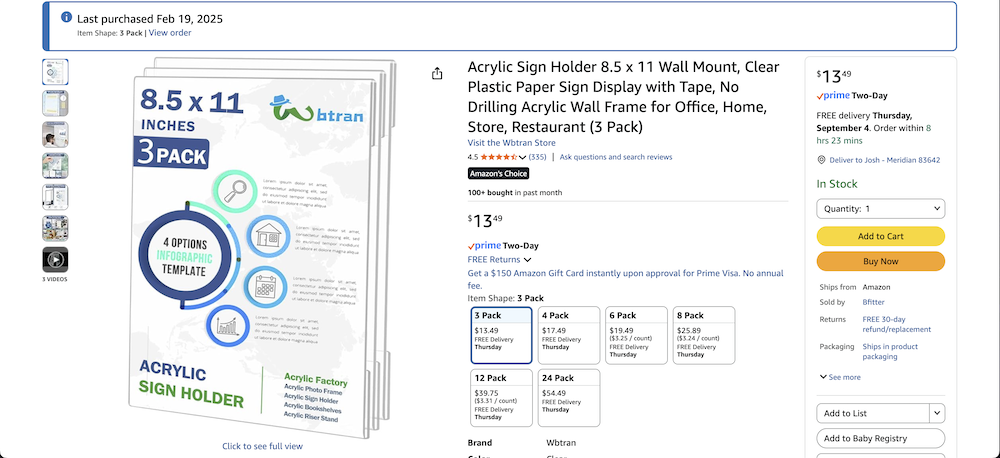
I have found this works the majority of the time. You can place tape on the back to secure it if you want to avoid putting it up permanently.
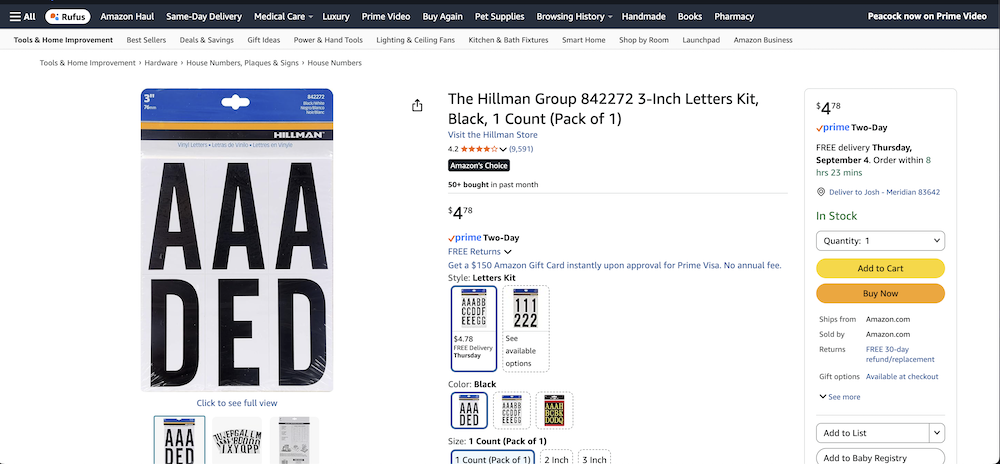
You can also buy number or letter designators to use for your Suite # at most hardware stores—or buy them on Amazon as well.
GBP Verification Process
Once you have all that ready, here is what you need to do.
Use Google Chrome.
Go to: https://business.google.com/locations
Add New Business or Start
Put in your exact business name as it matches the signage. Also any other information that it asks for like service area, etc.
Once you get through that, it’s going to ask you to verify. Always select “Video Verification.”
The Chrome app is going to ask you for location access, microphone, and camera access. You must say YES to all three of these.
Then follow the instructions from Google showing exactly what it asks for.
Location in the video, address, access to the building, and on top of this, show as many branded items as you can inside the location: Shirts, hats, signs, etc.
For location, if you can find a business or two that are on Google Maps nearby, and include them in the video—with a verbal mention of the business name—this is really strong for proving your location.
Also include as much branded material as possible, without taking too much time.
Keep this under 1:30 if you can.
That means showing branded trucks, business cards, utility bills with the address and name, etc.
Also access to computers, a cash register, a CRM—anything that proves you use this location for business is helpful.
The more you can prove to Google that you have invested money into this location, the better.
But most important are the 3 primary pieces of information: Location, Access, Signage. If you miss any of that, it likely won’t go through.
Once you finish the video, make sure and wait until it uploads completely.
Then that should be good! Make sure to wait until the full video uploads.
Now you’re done. It will likely take around 5 business days before it either gets verified or rejected.
And be on the watch, because sometimes you won’t get a notification—it will just be sitting there completely verified and you didn’t even know it.
Wrapping Up
That’s it! This should really help you if you’re trying to get verified and having problems, or you’re about to verify and you want to know how to do it in the most effective way possible.
Good luck!